Preparation · AI Breakfast for Citizens
Preparation for iPhone users.
Two steps on your iPhone, then you are prepared.
Step 1
Set up an email address.
If you do not yet have an email address, see here how to set up a Gmail address. If you already have an email address, you can skip this step.
Set up Gmail · iPhone
Step 2
Install the ChatGPT app.
Install ChatGPT · iPhone
A) Please make absolutely sure that you install the right app. There are many free riders. For this reason, please look closely that you use the correct ChatGPT symbol. It looks like this:
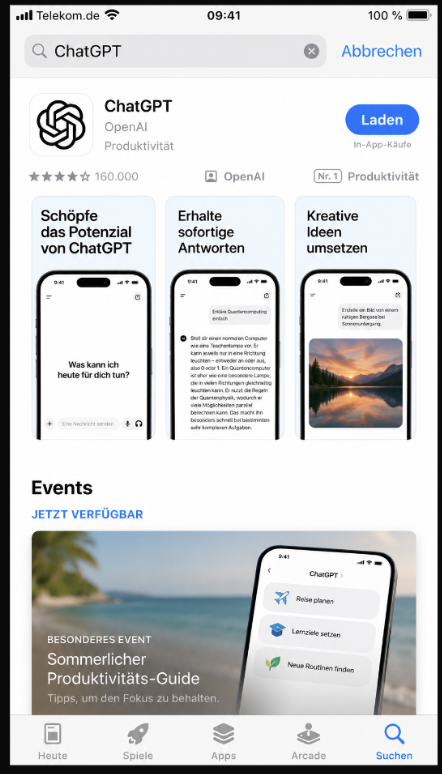
B) After you have installed the app, you reach the sign-in screen, where you can set up your ChatGPT account. For this you need the email address you created earlier, or use your existing email address to log in to ChatGPT. The sign-in screen looks like this:
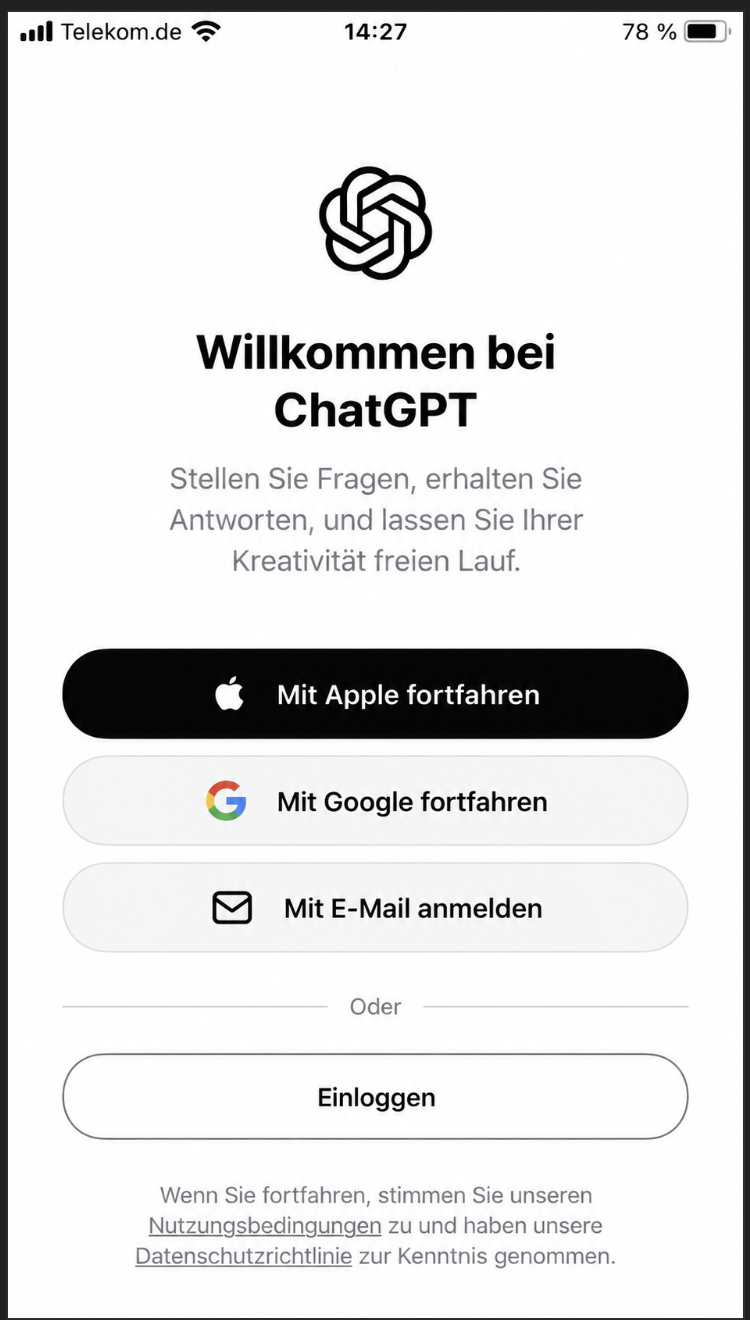
This is all you need
Nothing else is necessary. We explain the rest in the course.
Enjoy the AI Breakfast.