Preparation · AI Breakfast for Citizens
Preparation for Android users.
Two steps on your Android smartphone, then you are prepared.
Step 1
Set up the Play Store and a Google account.
On Android, use the Play Store to install the ChatGPT app.
How to set up the Play Store and at the same time a Google account with a Google email address is shown in the following video.
Your screen will look slightly different, because the demonstration videos here use a senior phone, but the approach is the same. The Play Store is installed on every Android phone.
Set up the Play Store and a Google account · Android
Step 2
Install the ChatGPT app.
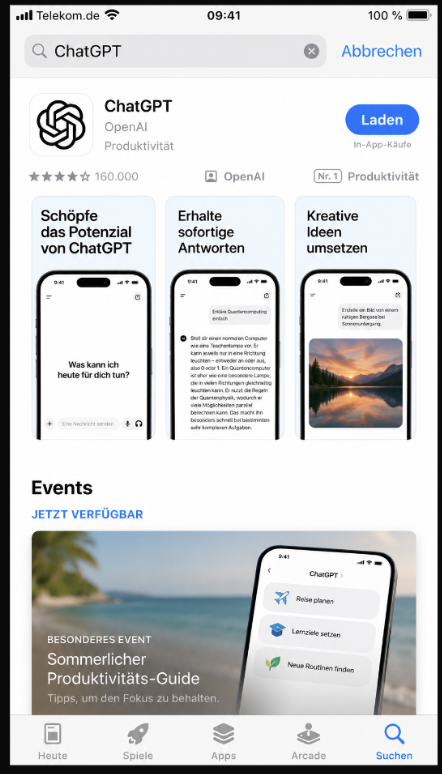
Once you are in the Play Store, you can search for the ChatGPT app there. Please make sure you install the right app, because there are many free riders. For this we have uploaded two screenshots here again, which you can use to check that you have the right app.
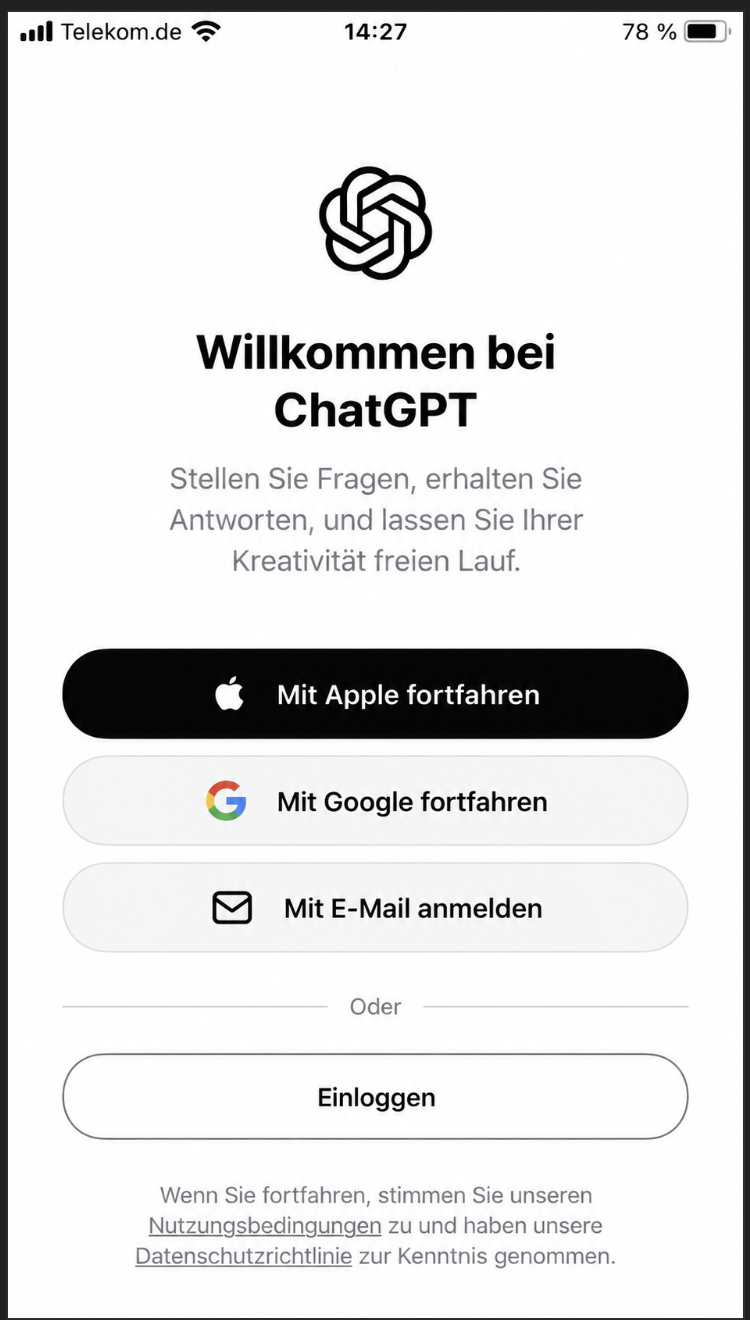
Once the app is installed, you can sign in with your Google account. The image shows that you simply click on Google there and thereby verify with your Google address. If necessary, a verification screen appears once more, and then you should have access to ChatGPT.
At this point there is nothing more you need to do.
This is all you need
Nothing else is necessary. We explain the rest in the course.
Enjoy the AI Breakfast.